
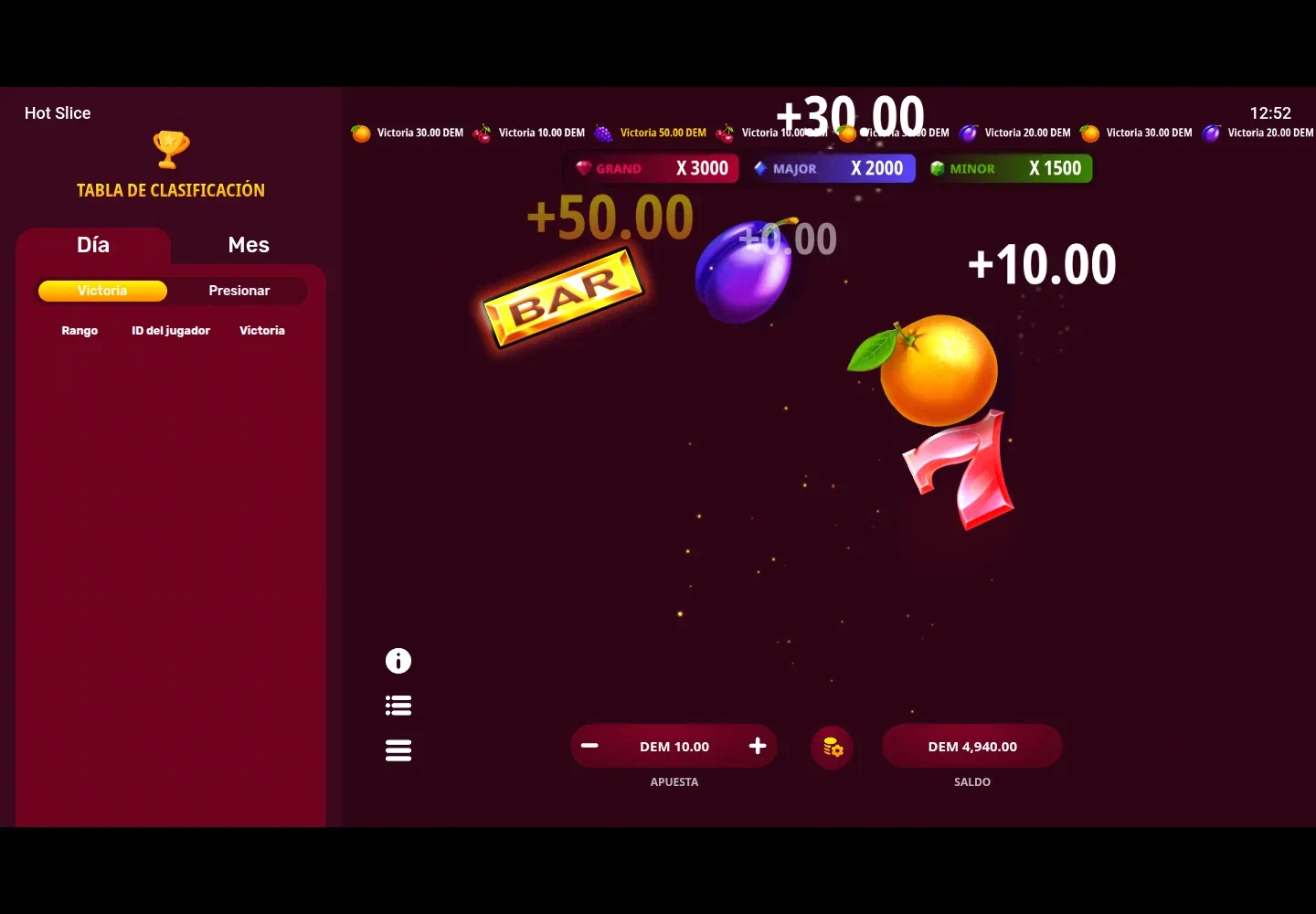
Quick history follows the slices
During play, quick history shows recent prizes near the top. It is a useful reference for looking back at a result after a slice. Observe the entry and connect it to the bet selected for that interaction.
The screen contains several numbers at once: balance, bet, multipliers and jackpot categories. History has a specific function within that group. To interpret a multiplier, explore the symbols and prizes table, where the regular and golden columns appear separately.
Pause between actions to read the bar. This pace lets you recognise the result before starting the next gesture and helps keep the sequence you have just played clear.
Top 15 organises a leaderboard
The Top 15 view presents a leaderboard with day and month periods. Start by looking at the selected period, then read the positions and figures in that view. Changing the period changes the set you are exploring.
The leaderboard and history answer different questions. History follows recent prizes; Top 15 lets you explore a table by period. A leaderboard position describes that table, while your next interaction’s result is determined in the game.
| Screen | What to look at first | Purpose |
|---|---|---|
| Quick history | Recent prize and its unit | Revisit the action you just observed |
| Daily Top 15 | Day period and position | Read the daily leaderboard |
| Monthly Top 15 | Month period and position | Read the monthly leaderboard |
A sequence for practising how to read them
Open the demo and locate the history bar before taking a long sequence of actions. Select the bet, complete one interaction and observe its result. Then find the recent entry and check how it relates to what you just saw in the play area.
Next, open Top 15, identify the period and switch between the available views. When you return to the main screen, check the bet again before continuing. These are navigation steps to work through at your own pace as you learn where each reference is.
How to play Hot Slice explains the gesture and its cost. Once you know that sequence, history and the leaderboard provide two information tools to open while exploring the game.