
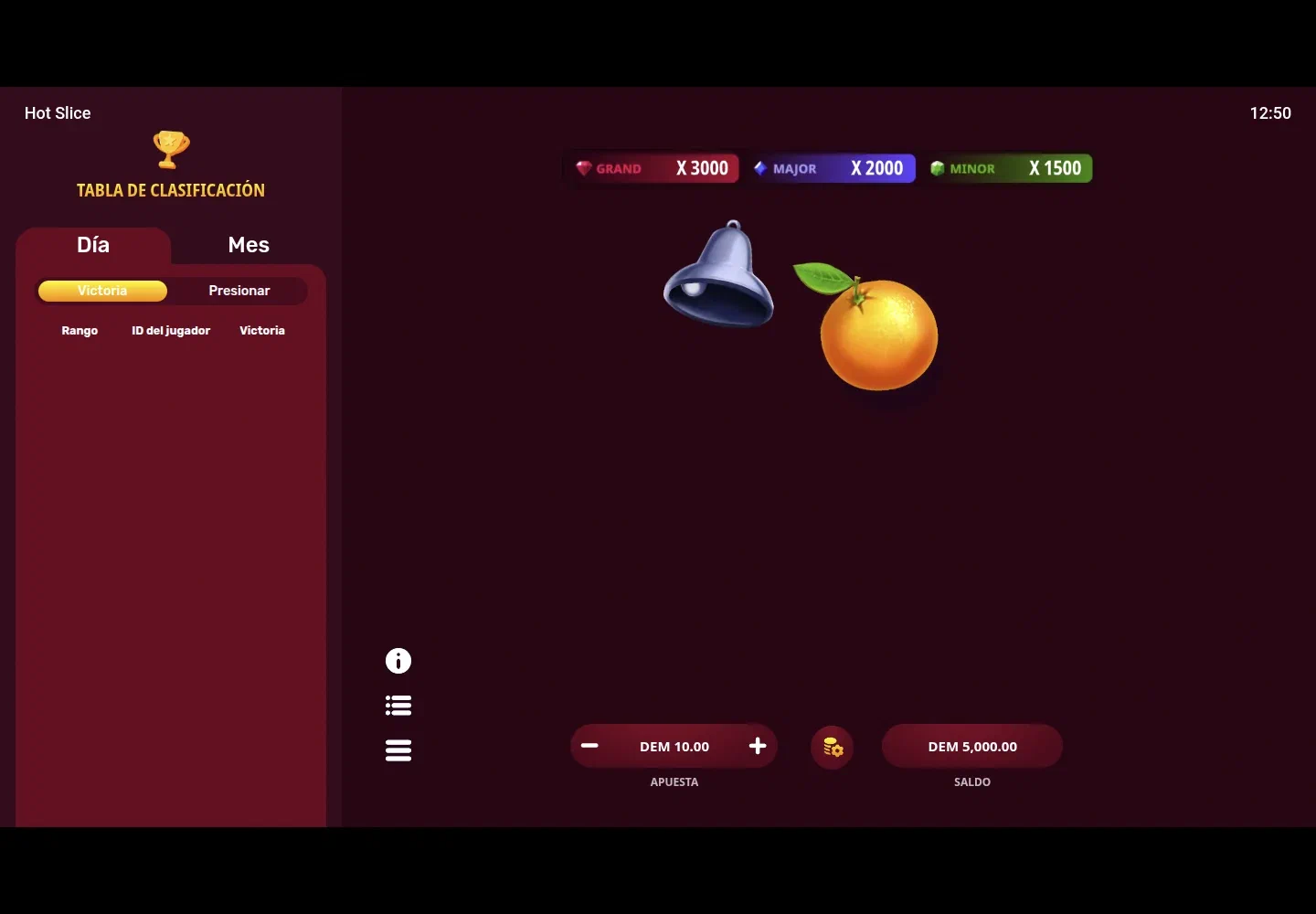
What you will find when you start the demo
The practice client presents the interaction that defines Hot Slice: fruit and symbols that open with a tap or swipe. The selected bet and DEM credit balance appear at the bottom. Before taking several actions, locate those two references and look at the space where a slice’s result appears.
The demo helps you learn where the controls are and how to read prizes. DEM credits are that client’s practice unit. When you move to an operator’s environment, the balance and transactions follow its account conditions. Real-money access covers that separate task.
A first try with the cost of each gesture in view
Select the bet you want to explore in the practice client. Tap an object and let its result appear. Then swipe over another symbol to compare the two controls. Each interaction counts as a bet, including when several gestures follow one another quickly.
You can pause between actions to review the revealed multiplier. This pause helps you relate what happened in the centre of the screen to the bet that was selected. For a more detailed sequence, open how to play Hot Slice and work through the steps alongside the client.
Animated combinations keep the visuals flowing. Payouts are determined by the game’s result. During practice, focus on distinguishing the symbols’ movement, the result of each opening and updates to the information around them.
Explore the rules and paytable
The client’s information menu brings together the game explanation and symbols. The table shows the multipliers for fruit, BAR, bell and seven, plus a separate column for golden symbols. It also presents the Minor, Major and Grand jackpots in their own section.
When a golden symbol appears, opening it takes a variable number of taps or swipes. Watching that sequence during practice helps you recognise the feature when you encounter it again. Features and prizes arranges the symbol groups for easy reference.
Practising on a small screen
Hot Slice uses HTML5 and has a mobile layout. Keep the play area and bottom bet strip visible. A comfortable orientation lets you gesture over the object you want and look back at the amount before continuing. Try this with both a tap and a swipe.
If the screen needs more time to load, wait for the client to finish starting. To open it again, reload the page and restart the demo. Loading help brings those checks together, while mobile access focuses on the controls’ layout.
After practising
The demo takes you through controls, symbols and screens. A session’s results belong to that session; RTP is a long-term theoretical measure explained on its own page. You can keep practising, read the rules or return to the main game page to choose another task.
When you decide to open the game with an account balance, identify Hot Slice by Evoplay and review the bet available in that client. This keeps two decisions separate: learning the mechanics in the DEM environment and choosing the conditions of an operator session.